Everything that gets you more orders
Follow one order from the customer's phone to the counter, the kitchen, the table or the rider, and back to your owner panel. Every step is connected.
The full tour in 2 minutes
Real screens from our sample stores: email sign-up, ordering, Counter, Kitchen, Waiter, Rider with maps and payments, in light and dark mode.
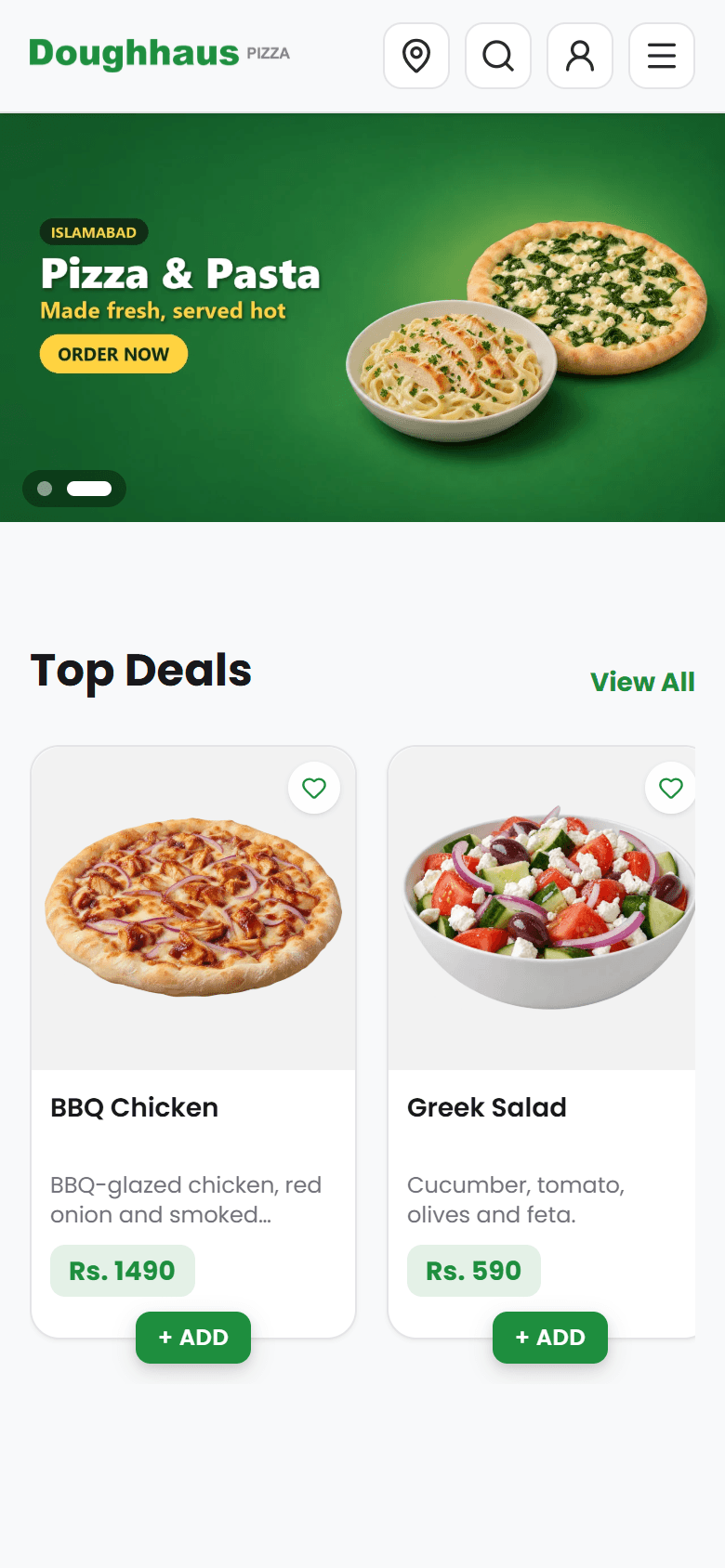
Your own website that sells for you, commission-free
Customers order straight from your website, with your name, logo and colours. No marketplace commission on any order, and every customer is yours.
- Your brand, your domainRuns on your own web address with your logo and colours. You own the domain; we connect it.
- Made for phonesFast and smooth on any phone, tablet or computer. Nothing to download.
- Quick to browseItems and the cart open on the same page, so customers never lose their place.
- Deals & bannersA deals page and homepage banners put your best offers in front of every visitor.
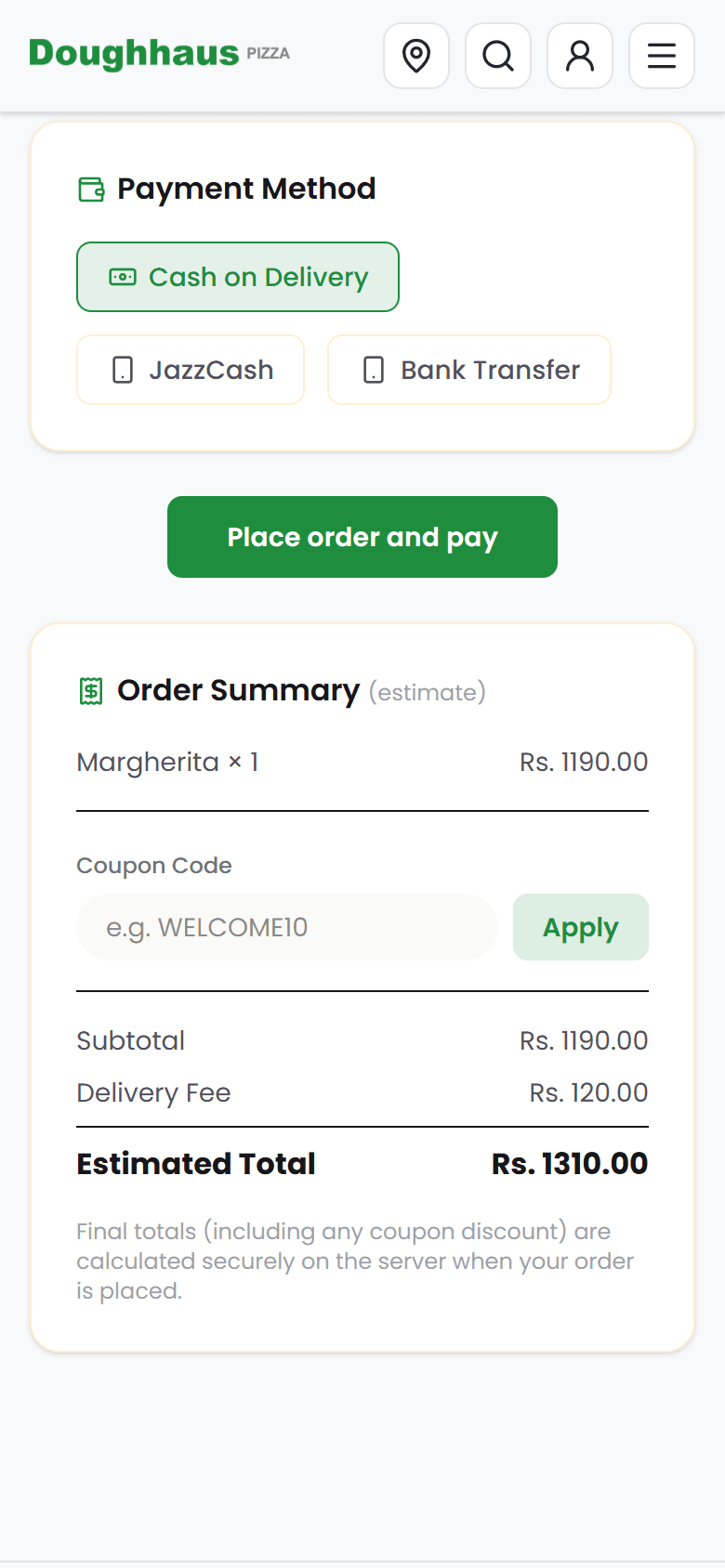
- Discount couponsCodes with a usage limit and an end date, to bring customers back on quiet days.
- Every branchCustomers pick their nearest branch and see its own menu, prices and delivery areas.
Easy to order, easy to come back
A short checkout for delivery, pickup or dine-in, live tracking after it, and accounts that make the next order quicker than the first.
- Delivery, pickup or dine-inOne checkout for every way you serve.
- Cash or transferEach branch sets its own bank and wallet accounts. Customers upload the payment screenshot.
- Exact delivery pinWith one tap, customers share their location so your rider finds them first time.
- Live order trackingA status page shows every step, so customers don't call to ask where their food is.
- Customer accountsSaved addresses, favourites and order history: their usual order is a tap away.
Never lose an order at rush hour
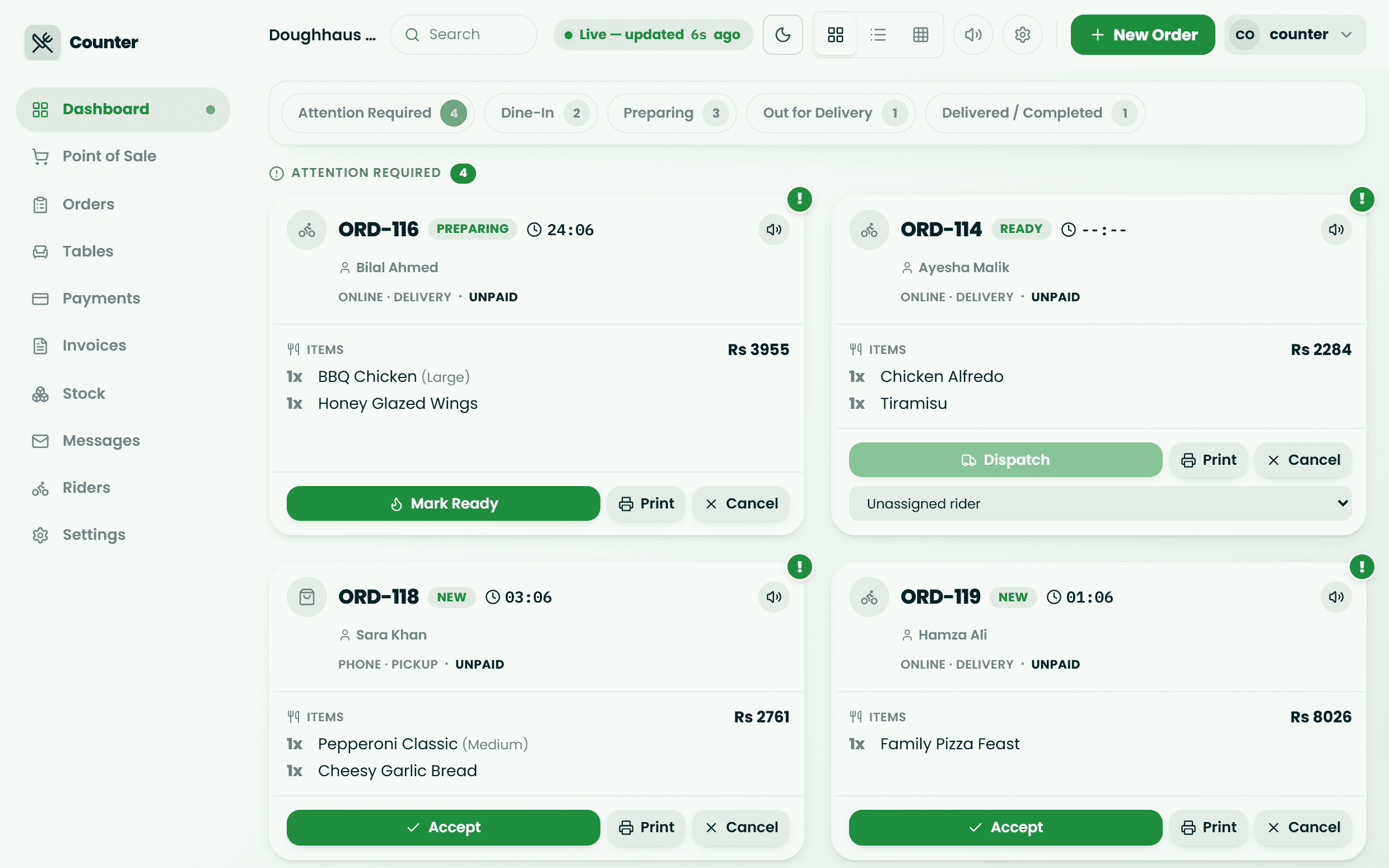
Website, phone and walk-in orders land on one live screen that tells your staff exactly what to do next, and won't let a late order slip by.
- One live screenNeeds Attention, Dine-In, Preparing, Out for Delivery and Completed, side by side.
- Late orders can't hideOrders that wait too long blink and chime. You set the limit for every stage.
- Point of saleTake walk-in, phone and dine-in orders in seconds.
- One-tap actionsAccept, mark ready, dispatch, deliver, cancel or refund.
- Sold out in one tapSwitch an item off the moment it runs out, on the website too.
- Payment checksSee paid and unpaid orders and verify transfer screenshots before handing food over.
- Thermal receiptsPrint on the 58mm or 80mm receipt printer you probably already have.
- Find any orderSearch everything, with filters that stay put as staff move between pages.
- Customer inboxRead customer messages and reply by email.
A faster kitchen gets through more orders
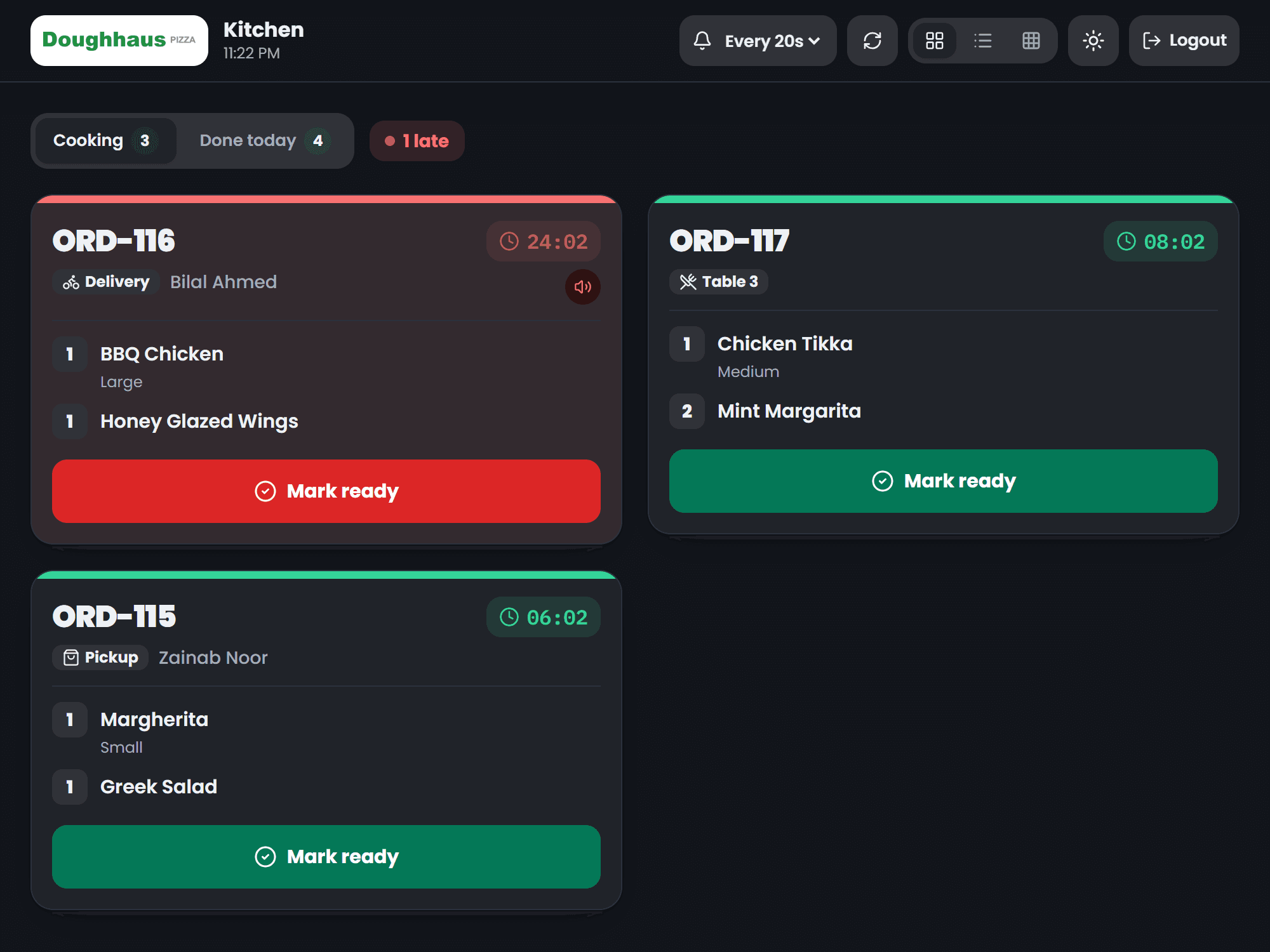
The kitchen sees only what it has to cook, in big type, with timers that warn before an order runs late. No paper tickets to lose.
- Only what to cookOrders arrive once the counter accepts them, with every size and option listed.
- One clear actionMark Ready. Nothing to learn, nothing to mis-tap.
- Overdue alarmsLarge timers, a sound on every new order, and a reminder when one runs long.
- Three viewsCard, list or tile layouts, to suit any screen size.
Turn tables faster
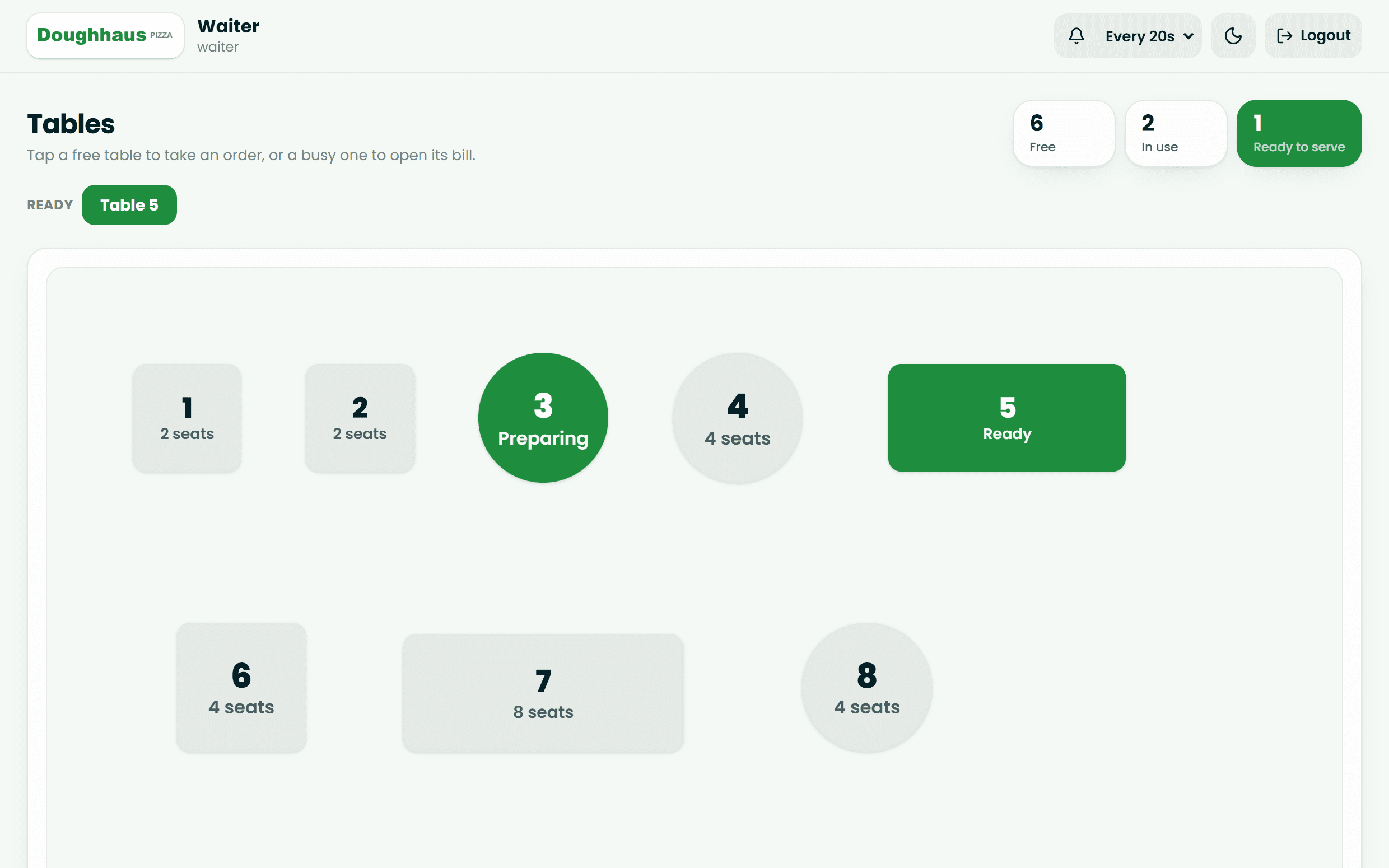
Draw your floor, watch tables fill up live, and let waiters take orders at the table so food reaches it sooner.
- Floor plan designerDraw floors and tables to match your real layout.
- Live table mapSee free and busy tables at a glance.
- Running billsAdd rounds to an open table; the kitchen is alerted for each one.
- Waiter tabletTake orders at the table and get an alarm when food is ready to serve.
Faster deliveries, and every rupee accounted for
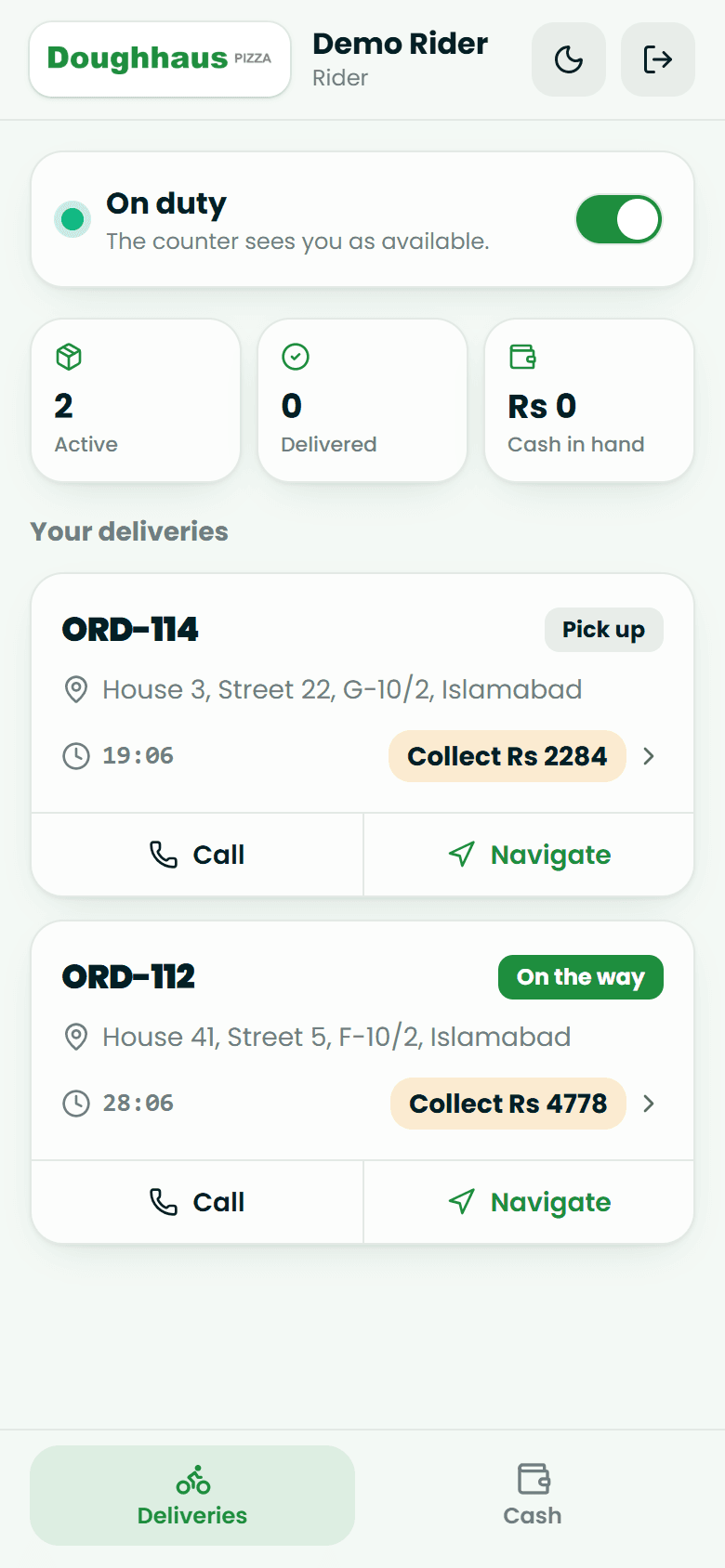
Your own riders get their deliveries on their phone, update the status on the road, and you always know how much cash is out there.
- On / off dutyRiders sign in on their phone and clock in for their shift.
- Where to goThe address, plus the customer's exact pin when they shared one.
- Picked up, then deliveredOne tap each, or report a problem from the road.
- Cash summarySee the cash each rider holds and settle it order by order.
Run every branch from one place
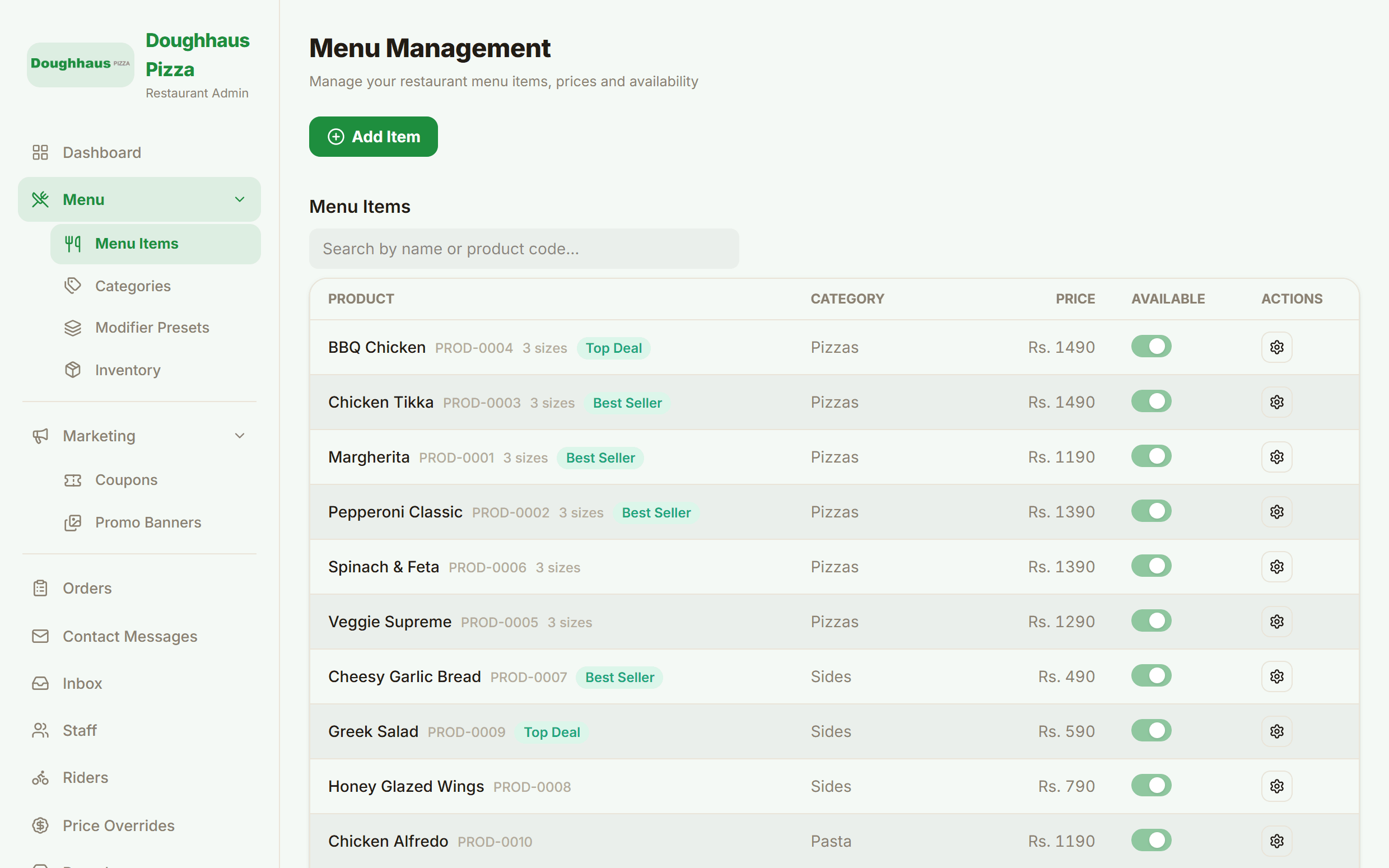
Build the menu once, set up each branch, add your staff, and see every order, from one panel.
- Menu builderSizes, add-ons and combos, with optional or required choices.
- Size-based pricingExtra cheese can cost more on a Large than on a Small.
- Reusable option setsBuild "Choose your drink" once and attach it to any item.
- Stock-linked optionsWhen an ingredient runs out, every option that uses it hides by itself.
- BranchesEach branch with its own prices, delivery areas and fees, and payment accounts.
- Staff & rolesManager, Counter, Kitchen, Waiter and Rider accounts, each seeing only their screen.
- Every orderAll orders across all branches, with receipt printing.
Your money and data, locked down
Totals can't be tampered with, every restaurant's data is kept apart, and staff access ends the moment you remove it.
- Tamper-proof totalsEvery price, tax and delivery fee is recalculated on our side, never trusted from a browser.
- Exact coupon limitsA coupon set to 100 uses stops at 100, even if two people redeem it in the same second.
- Instant lockoutRemove a staff member and they're signed out immediately, even mid-shift.
- Separate dataEach restaurant's data is kept apart from every other restaurant's.
- Fully cloud-hostedNo hardware, no installs, no servers to look after.
Your next order could come from your own website.
Sign up, send us your menu, and we'll build your store. It's free until your store is live.